
Memory
Memory in APX is a set of short notes: “Alex prefers numbers before prose”, “Deploys go out on Fridays”, “The supplier’s contact is Northwind”. Each note has an author and a scope. Automatic recall, capture and AutoDream have separate controls in Settings › Memory; saved quotes and changes are visible in Sources and history.
Three scopes, plus a file
Section titled “Three scopes, plus a file”| Scope | About | Who sees it |
|---|---|---|
| Global | You: your preferences, the people in your life, how you work. | Every agent. |
| Project | One project: decisions, conventions, how things are done there. | Every agent, in every chat of that project. |
| Agent | One agent’s own notebook. | Only that agent. |
And then there is .apc/memory.md, a file in the project that you write by hand. Agents always read it and
never write it: it is the place for fixed rules you don’t want any agent to edit. See Projects.
Who writes notes
Section titled “Who writes notes”Three ways, all visible:
-
You. Add a note in a project’s Memory tab, or with
apx memory add. Or just tell an agent “remember that…”. -
An agent, with its
remembertool, when it learns something worth keeping: a correction, something you repeat, or an approach you confirmed. It writes the note in its own words; for a correction or a way of working, the rule first; aWhy:line only when you gave the reason, andHow to apply:only when supported. Inside a project it saves to the project by default, otherwise to the global notes. It can correct its own notes and remove one withforget. -
Automatic capture. After an ordinary owner turn, the helper can select durable preferences, corrections, decisions and references. It considers up to three eligible owner turns and keeps up to four exact supporting quotes with their sources. APX checks names, numbers and negations, then asks the helper separately whether every claim follows from those quotes, including paired assignments, exceptions and reasons. Unclear or contradicted candidates are dropped. Reasons are never required when you did not state one. Notes stay private to that agent in the same project. This review reduces mistakes; it does not guarantee that the model understands every case.
-
Verified procedure history. A recovered turn leaves a procedure note only when you confirm the actual work (“great, it worked”, including a closing channel reply), or APX observes a complete file read matching its earlier write. An
oktool call alone is insufficient. The note keeps the successful method and safe targets, output paths and any failed attempts in a separate section. Its sources include the actual confirmation or write/read references. Other outcomes still need your confirmation. Old procedure notes without that evidence remain historical. Notes are data, never instructions or new permission; the agent checks the current state before reuse. Addresses lose query strings and credential-shaped values are omitted. Each step keeps what it acted on, short: a site by its host, a command by its program and decisive flags (links as hosts, headers, cookies and request bodies dropped), a file relative to the work or scratch folder. Lookups (searches, snapshots, tab switches) are left out, attempts that failed before the method worked are listed as “Tried first, failed” with a short reason, and the notes index names the request and its decisive steps (for examplesnapinsta.to → page script → curl).
Capture uses the helper model already configured for APX. With the helper off, no automatic notes are extracted;
explicit remember and automatic chat retrieval still work. Capture jobs persist across core restarts and retries
cannot create another copy of the same note. What you write on a channel as the owner (Telegram, WhatsApp…) counts
the same as what you write in the app. Contacts, rooms, external-client chats, subthreads, workers and direct engine
sessions are excluded from automatic capture and recall.
Agents can’t edit or remove the notes you wrote. And some notes wait for you:
- To confirm. A global note an agent wrote about you only stands in every chat once you confirm it. Until then it shows up only when it matches what you said.
- From outside content. A note saved while a web page, a channel message or another agent’s text was in the turn is marked as such. Agents read it as data, not as your word, until you edit it to vouch for it.
How notes reach a turn
Section titled “How notes reach a turn”Notes never go in the system prompt. Instead, when an agent answers in a thread:
- On its first turn in that thread it gets its standing notes: up to 8 of the global ones and up to 8 from its own notebook, newest first, plus up to 5 notes that match your message and recent owner turns. Relevant matches get space before standing notes; one oversized note cannot hide the smaller notes after it.
- Your turns also carry an index of the agent’s own notebook: one short line per note not shown whole (its kind,
date and what it is about), newest first, within 2,000 characters. A note worded unlike your message (“do it like
you did today”) is still in view, and
recallbrings its full text; notes past the limit are reached by search. Later turns in the thread list only notes saved or changed since. - On later turns it gets only new matches it hasn’t seen in that thread.
- Relevant statements from its own earlier chats in the same project can appear automatically, with dates and message IDs. Older turns of the current chat can return when they no longer fit its context, without duplicating visible turns. This also works on older chats without a helper model. Greetings do not trigger retrieval.
- Whenever it needs more detail, it searches with
recall, or usesread_chatwitharoundand the source message ID to read older messages beyond the latest page.
Edited or forgotten notes invalidate older injected snapshots and their derived replies. Compaction summaries are invalidated too, so a stale summary cannot reintroduce an old note. Original conversation records remain readable.
Keeping notes out of the system prompt keeps the start of every request identical, so the provider can cache it and each turn costs less.
Historical retrieval builds its index independently of capture and its daily quota, including old completed turns.
Meaning-based matches keep their relevance ahead of newer word matches, using the current question rather than
unrelated recent topics. Long messages are indexed in overlapping fragments so one topic does not hide another.
Original owner messages are retrieved automatically; read_chat can expand their replies.
Words or meaning
Section titled “Words or meaning”Settings › Memory picks how notes are found:
| Mode | How it works |
|---|---|
| Search by words | The default. Notes that share words with your message come up (accents ignored). Nothing else to set up. |
| Search by meaning | An embedding engine understands what each note is about, so “when is the team offsite?” also finds “The retreat is on June 3”. Needs an embedding engine. |
| No memory | Every chat starts from zero; agents keep no notes. |
For search by meaning, add an embedding engine under Embedding engines: a local Ollama, or Gemini or OpenAI with a key. They are tried in order and the first that answers is used. Index now indexes your existing notes and Try a search lets you check what a question would bring back.
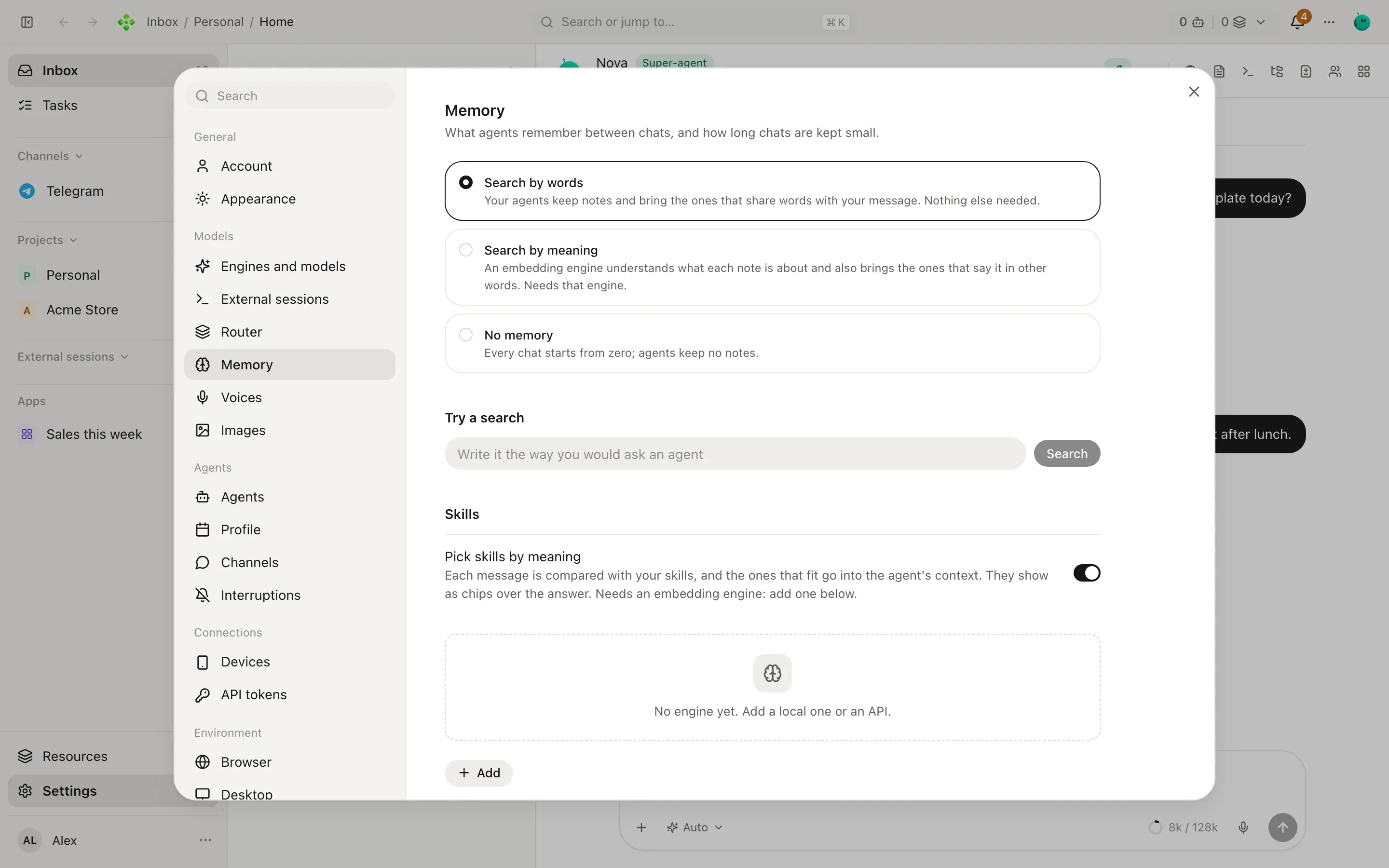
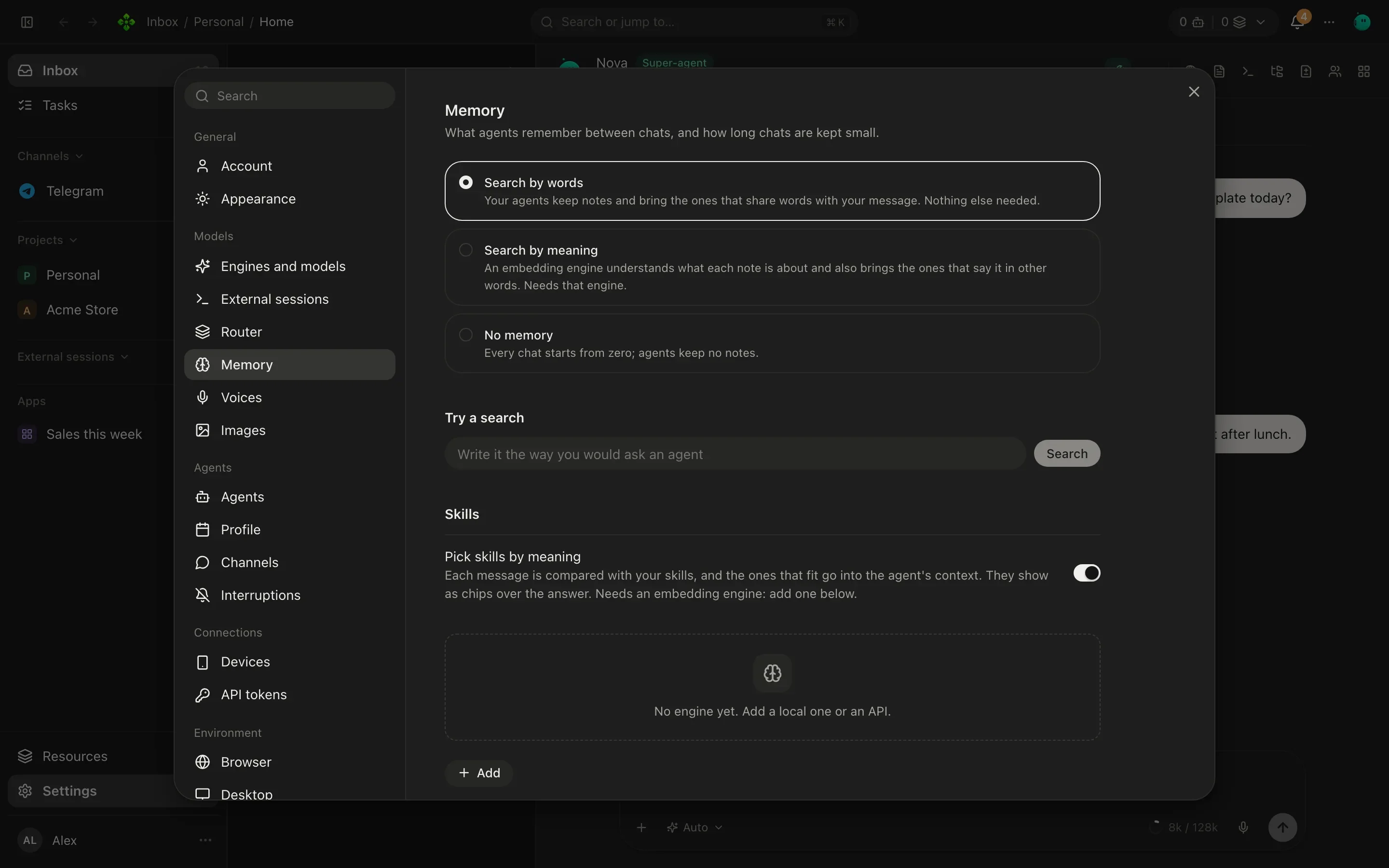
The same screen holds two related switches:
- Pick skills by meaning: each message is compared with your skills and the ones that fit are offered to the agent. See Skills.
- Summarize long chats and the Helper model that writes the summaries and chat titles (Automatic, a model you choose, or Off). See Conversations.
AutoDream and limits
Section titled “AutoDream and limits”AutoDream reviews an agent’s private notes after new work, at most once a day per agent and project, while that agent is idle. It:
- combines duplicates, keeping their sources and the outside-content marker;
- retires a note that a newer one corrects (only a note written before the correction);
- once the notebook passes 40 notes, retires notes that are no longer useful, so the index stays short;
- rewrites relative days (“today”, “ayer”) as the dates they meant, leaving quoted commands and procedure notes as they are.
Retiring a note requires a separate review of the same subject and scope; a newer date alone proves nothing. The helper model only names notes; APX does the rewriting itself and never changes owner notes or promotes anything to global memory. Contradictions, different numbers and different preferences stay separate. A pass that would forget more than a fifth of the notebook at once (at least one note) is refused whole, and that share counts per day. Retired notes go to Forgotten with the reason in their history, and revision checks reject proposals made stale by an edit or deletion.
Capture and AutoDream share a daily memory call limit, default 20. Extraction and semantic review each consume one gateway request; transient transport retries can make more than one HTTP attempt. If review must wait for quota, the saved extraction resumes without repeating it. Each request has bounded input, output and a deadline; calls and tokens appear in Usage. A limit of zero pauses model calls. The queue reports completed, waiting and failed work in Settings. Review earlier chats queues the newest 100 turns per eligible chat; Review duplicates now requests consolidation. Queued work is processed in bounded batches, prioritizing recent jobs. Exhausted daily quotas defer model calls until the next UTC day; historical retrieval continues.
See, confirm and undo
Section titled “See, confirm and undo”A project’s Memory tab shows its notes and lets you switch between This project, Agents’ notebooks, About you and Forgotten. Search them, add one, edit or remove any.
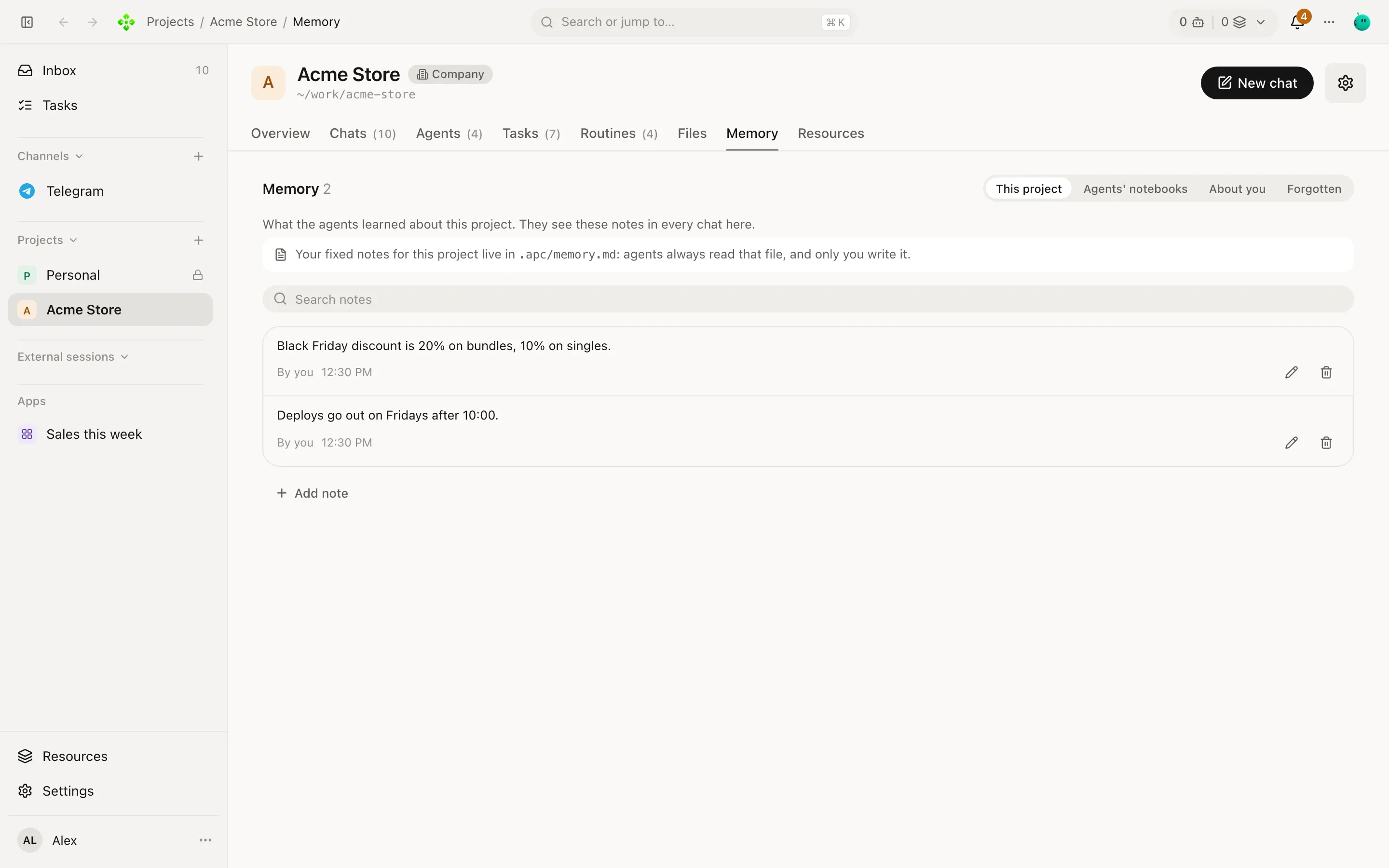
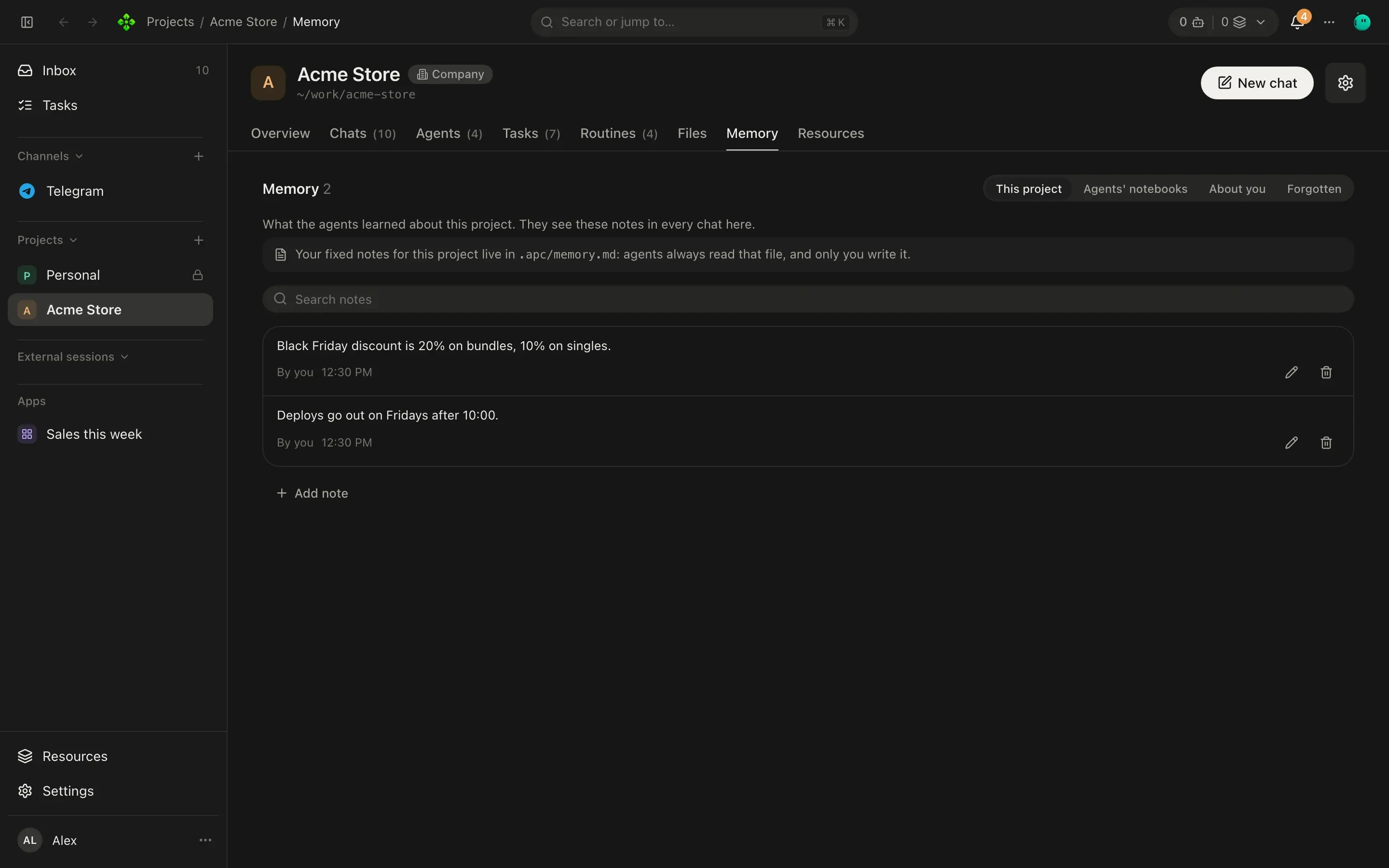
- A note To confirm has a Confirm button and a link to the chat where the agent learned it.
- Forgetting is reversible. A removed note goes to Forgotten, where no agent sees it; Bring back restores it. Forgotten sources are excluded from automatic recall, chat tools and extraction retries. Delete for good deletes the note and its revision text; a minimal exclusion fingerprint and source IDs prevent recreation.
- Sources and history shows exact quotes and revisions. Restore this revision can undo a merge or an edit. Original chats remain in conversation history; deleting a memory does not delete the conversation.
- APX 2.7.0’s automatic capture also saved passing requests and questions (“can you finish that review?”) as
notes. The first start after updating retires the ones its agent never edited and today’s capture would refuse;
they wait in Forgotten, marked Retired by capture cleanup in their history, and Bring back restores any
you want. Notes you or
rememberwrote are not touched, and the same fact can be taught again.
From the terminal
Section titled “From the terminal”List the newest notes, or the best matches for some words:
❯ apx memory deploy
mem_2a9f4c01d7b6e358  project:p_3f9a1c0d7e21   you   Deploys go out on Fridays.
mem_81c3e0b5a4f2d917  agent:3f9a1c0d7e21-tomas 3f9a  Run the checkout tests before any deploy.
Add one. The scope defaults to global, or to project or agent when you pass --project or --agent:
❯ apx memory add project "Free shipping starts at $50." --project p_3f9a1c0d7e21
mem_c47e19a20b85f6d3  project:p_3f9a1c0d7e21
Remove notes by id:
❯ apx memory rm mem_c47e19a20b85f6d3
mem_c47e19a20b85f6d3  removed
apx memory --json prints the notes as JSON.