
Tasks
Tasks are the office’s to-do board, shared by you and your agents. You create them, agents create them, and giving one to an agent is enough for it to start. Tasks in the sidebar shows them from every project; each project has its own Tasks tab with New task.
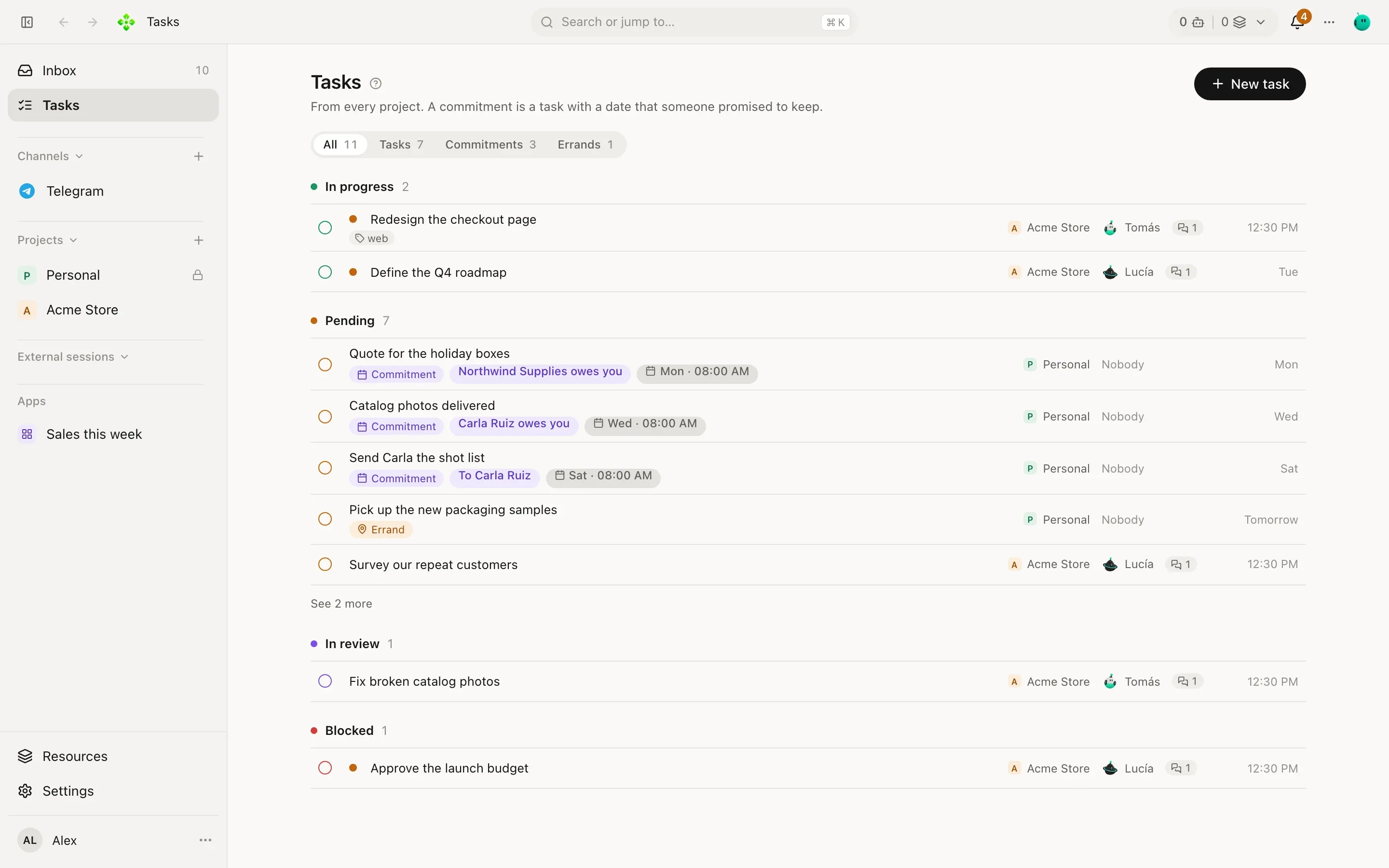
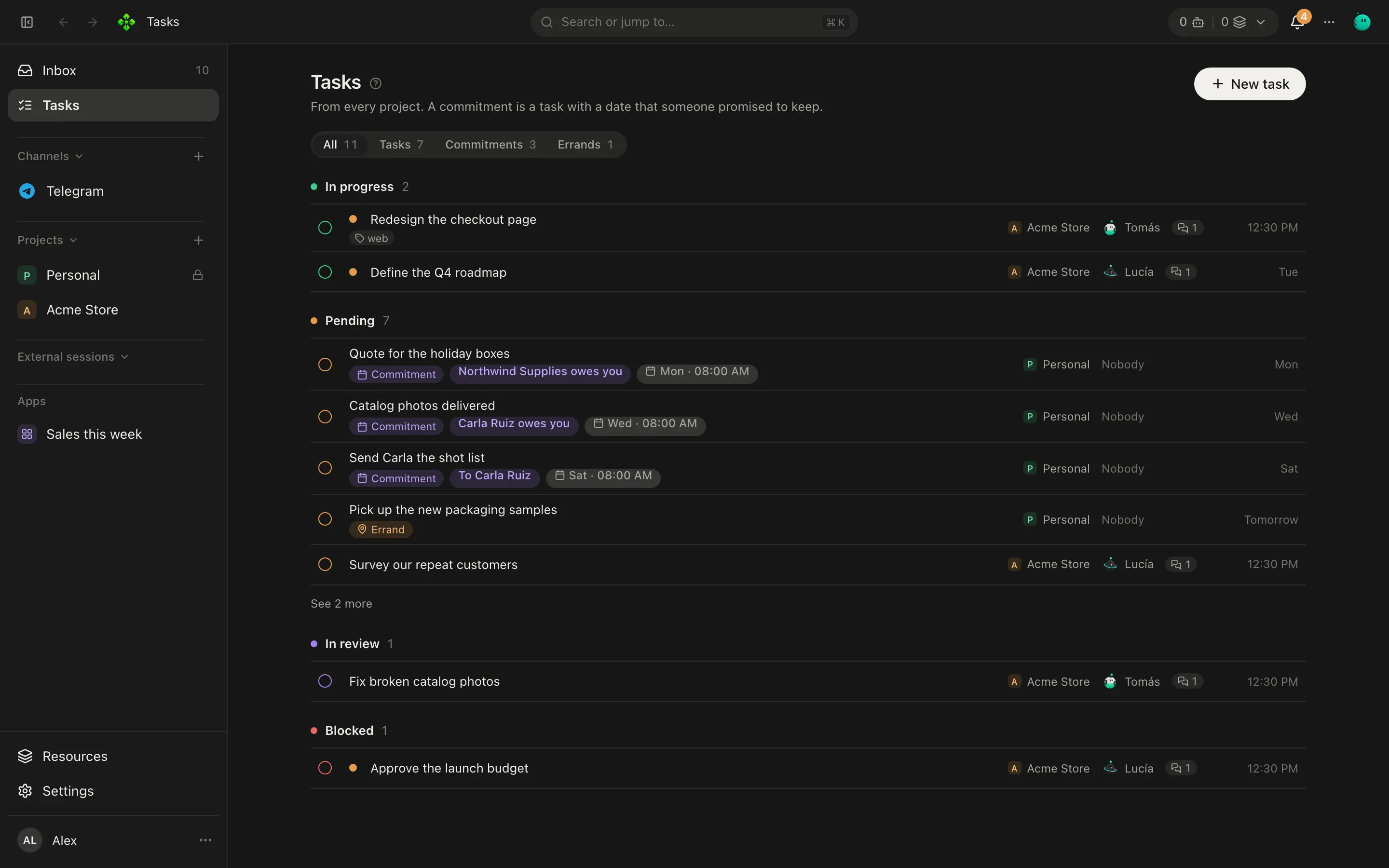
Before creating another task, agents are instructed to check the open tasks and continue an existing task when it already covers the same or closely related work. This is not automatic duplicate detection. For a task that changes code, see where the code work goes.
What a task has
Section titled “What a task has”| Field | Values |
|---|---|
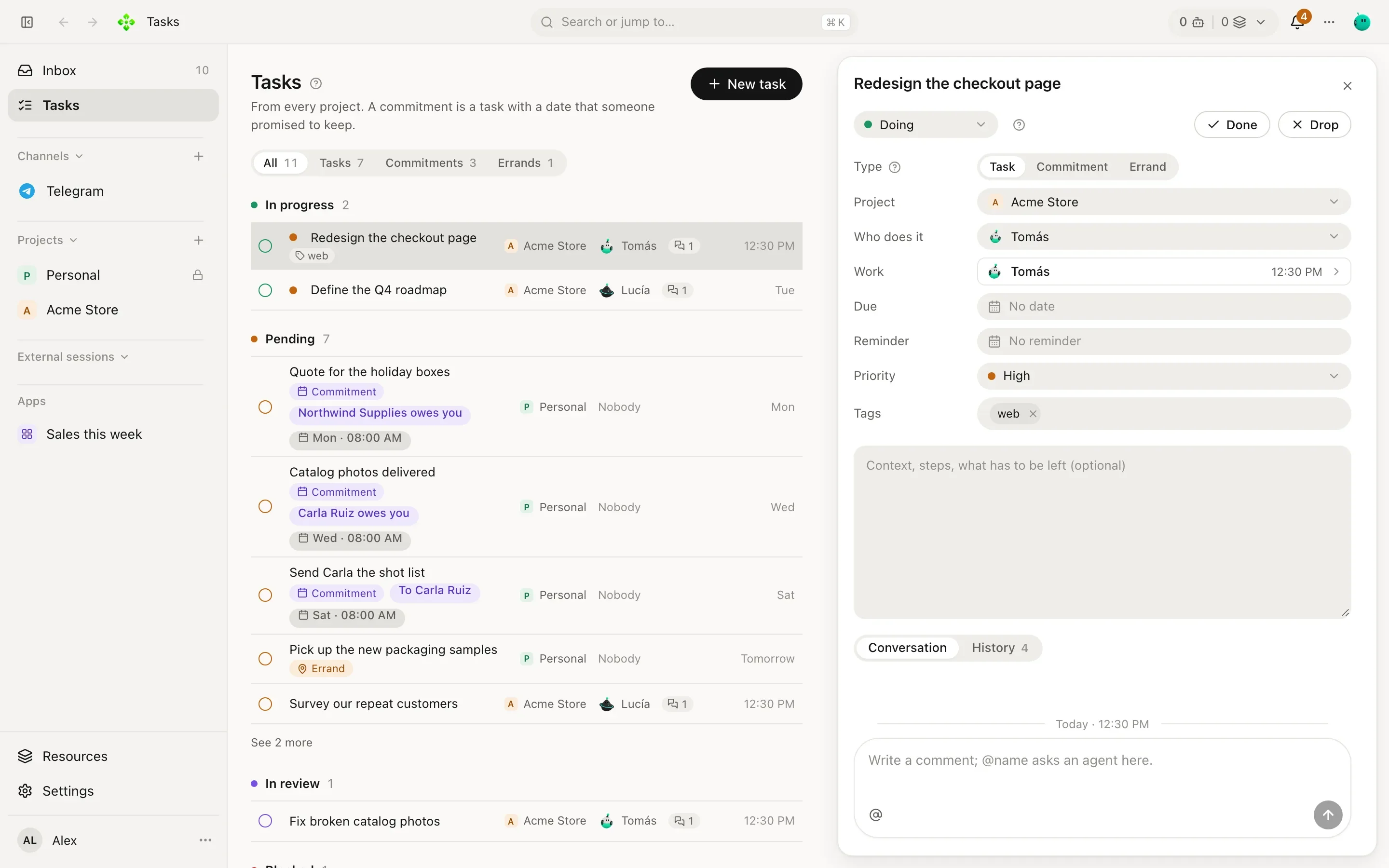
| Type | Task (work in a project), Commitment (something promised with someone) or Errand (something small to do on the way: buy, call, pick up). |
| Column | Backlog (just arrived, new tasks land here), To do (decided, it is next), Doing (someone is on it now), Review (finished, waiting for a check). |
| Priority | Urgent, High, Normal, Low. |
| Who does it | An agent, or nobody. Picking a project’s agent puts the task in that project. |
| Due date and reminder | When it is due, 1 hour before, 1 day before, another time, or no reminder. |
| Tags | Free words (client, launch…). |
Done and Drop close a task; Reopen brings it back. The filter at the top switches between All, Tasks, Commitments and Errands. On the Tasks screen, the project picker beside it narrows the list to one project or shows All projects; this browser remembers the choice for the next visit.
How the list is grouped
Section titled “How the list is grouped”- Proposed (when there are any, on top): tasks an agent proposes and nothing starts until you accept them. Accept all in its header, or Accept and Drop in each one’s drawer. See Proposals.
- Needs your review (first): what is yours. An agent asked you something or needs your decision (it goes on when you answer; you also mark it so with Waits for your answer from its menu), or a finished task you review to close. Each row says which: Asks you something or Reviews: You.
- In progress: its column is Doing, or an agent is working on it right now.
- Pending: Backlog or To do, nobody started it yet.
- In review: finished, and the agent you named reviews it (Reviewed by in the drawer, or an agent naming one). It is asked to review at once: asking for changes sends it back to whoever did it; approving makes it yours.
- Closed recently: done or dropped, newest first.
Attachments and task chat actions
Section titled “Attachments and task chat actions”Tasks can keep selected screenshots and files as independent snapshots, when created or later. Preview or download them from the task. Each task holds up to 50 files, at most 20 MB each. Deleting the original chat does not delete the task’s copy; removing the attachment deletes that copy, not copies already shared elsewhere. Authorized agents can inspect task attachments without gaining access to private contact chats. Sending a file outside APX remains a separate owner action.
Use the task chat group’s actions button or right-click menu to change its column, mark it waiting, close or reopen it, or archive its chats. Archiving preserves history: it does not close the task or restart work. Task status appears beside the chat header, and the opening task description preserves paragraphs and lists.
Assigning starts the work
Section titled “Assigning starts the work”Give a task to an agent (when you create it, or later) and it starts working right away, in its own chat for that task. That chat is a normal chat listed in the Inbox: you can open it and watch, or talk to the agent there.
- Lucía creates “Write the shipping rates page” in Acme Store and picks Tomás in Who does it.
- Tomás’s chat for the task opens with the task’s words and he starts: reads the project, drafts the page.
- His answers stay in his chat. He comments on the task when something is worth knowing: a step done and verified, a block, something to review. The task keeps those comments; the chat keeps the work itself (every tool call, every file). When he closes the task, his last answer is posted as his report.
- When he needs a decision, he asks you. The task moves to Needs your review until you answer.
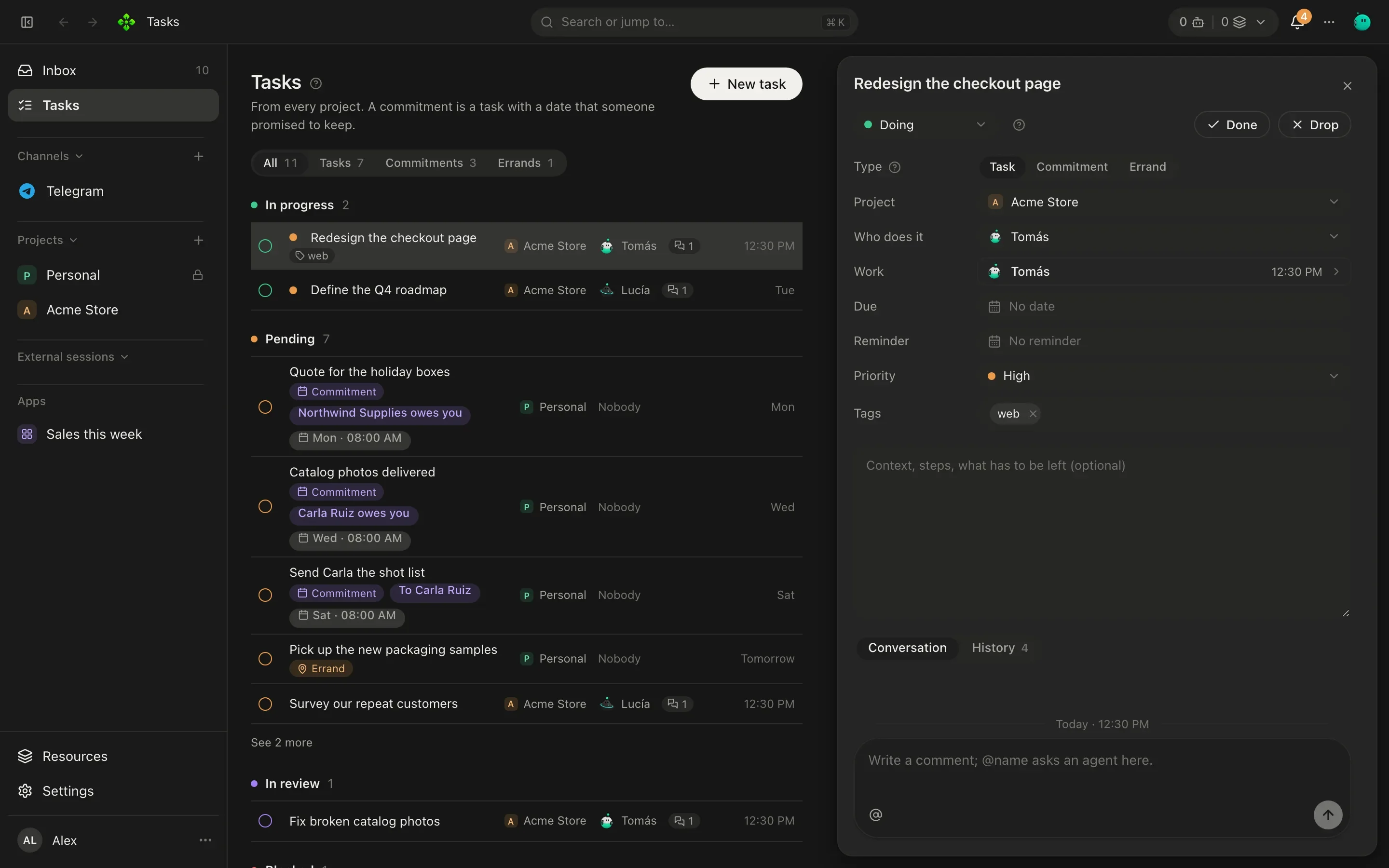
Open a task and its drawer shows the description, the fields, the Comments and the History (who created, moved, assigned or closed it). Sessions at the top counts the chats the task was worked in and opens their list, to jump to where the work happens. If you reassign it, the new agent gets its own chat and is told who worked on it before, and where to read it.
Assigned tasks that never started are picked up on their own: once an hour, the most pressing few get started. To
have one start later (tomorrow morning, after a release), set Starts in its drawer, or apx tasks add … --start 2026-10-23T09:00: its agent starts then, not when you assign it.
Moving the current work into a task
Section titled “Moving the current work into a task”On the development branch after 2.11.0, when an agent immediately assigns its current work to itself as a new task, APX transfers execution to the task’s chat. The originating turn stops executing tools; the task chat gets a bounded handoff of the request and recent findings so it can continue rather than repeat the investigation. This does not prohibit unrelated parallel chats. If the current turn already has helpers or other active work, or cannot transfer safely, APX refuses the handoff and the agent must continue there, not start a second executor.
Comments and @mentions
Section titled “Comments and @mentions”Write in the task’s Comment box. A comment that names no one waits a minute (so you can add another) and then
goes to the task’s agent, or to the super-agent when nobody has the task; its ticks show it sent, delivered and read.
An @name asks that agent: it answers in its own chat for the task, and its
answer comes back as a comment. Ask Vera from Lucía’s task:
@Vera can you have the product photos by Thursday? This page needs them.
An agent asks a teammate the same way: its @name in a comment opens a consult on the task, shown as a card with
the question and the answer, and the answer comes back to the agent that asked, which goes on with its work. One
comment asks two teammates at most, and the one answering a consult cannot ask anyone further. An agent can also
mention you to get your attention.
When an agent’s task closes
Section titled “When an agent’s task closes”A task one agent created and gave to another reports back when it closes. Your main agent can hand a whole goal to a project’s orchestrator as a task; when the orchestrator closes it, hours and restarts later, your main agent gets its report in the chat where it created the task and tells you what matters. Closing a task yourself, or an agent closing its own, wakes nobody. That turn counts toward the turns agents start on their own without you: past the limit, the report waits until you write in that chat.
Requesting corrections
Section titled “Requesting corrections”Reopening alone does not start work. To reject a delivery and ask the same assignee to correct it, an agent uses
task_close with state: "open", rework: true, and a note explaining the corrections. Protocol clients use the
same fields on tasks.close.
The task must be closed and assigned. The request keeps its identity, column, history and work chat, records the reason and new run, and reports back to the original coordinator when the assignee closes it again. Requests are refused without changing the task if work is still active or agent limits are paused; wait for work to finish or ask the owner to allow the chain to continue, then retry. Ordinary updates and administrative reopening never start a correction run.
Sub-tasks
Section titled “Sub-tasks”A task can name a parent task, so “Spring launch” can hold the photos for Vera and the rates page for Tomás.
The list nests them under their parent. A task an agent creates while it works on a task is a sub-task of that one: the agent that owns a task carries it end to end, and hands a part to another agent through a sub-task, not a chat.
Proposals
Section titled “Proposals”When an agent finishes, it may see more work: a QA pass, a review, something for another area. Work its own role hands out it creates and starts; the rest it proposes. A proposed task waits in Proposed, with who proposed it, until you accept it (it starts like any assigned task) or drop it. You get one notice per agent with how many it has waiting.
Some tasks are proposals whatever the agent asks for:
- A wide hand-out. When an agent hands tasks to a third agent or more in one turn (Roby splitting “check every service for PHP vulnerabilities” into one task per service), they are proposed, so you pick which go ahead. The Ask before handing work to several agents switch (Team, under When agents work on their own) turns this off.
- A hand-off chain three deep. A sub-task of a sub-task of a sub-task is proposed, so agents cannot keep passing work down on their own.
- Work given back up the chain. A sub-task for an agent that created one of the tasks above it is proposed, so two agents cannot ping-pong the same work.
Commitments
Section titled “Commitments”A commitment is a task with a person (one of your contacts) and who owes it: I owe it (you promised something to someone) or They owe me (someone promised something to you). It has a due date like any task, so it is reminded and raised before it is late.
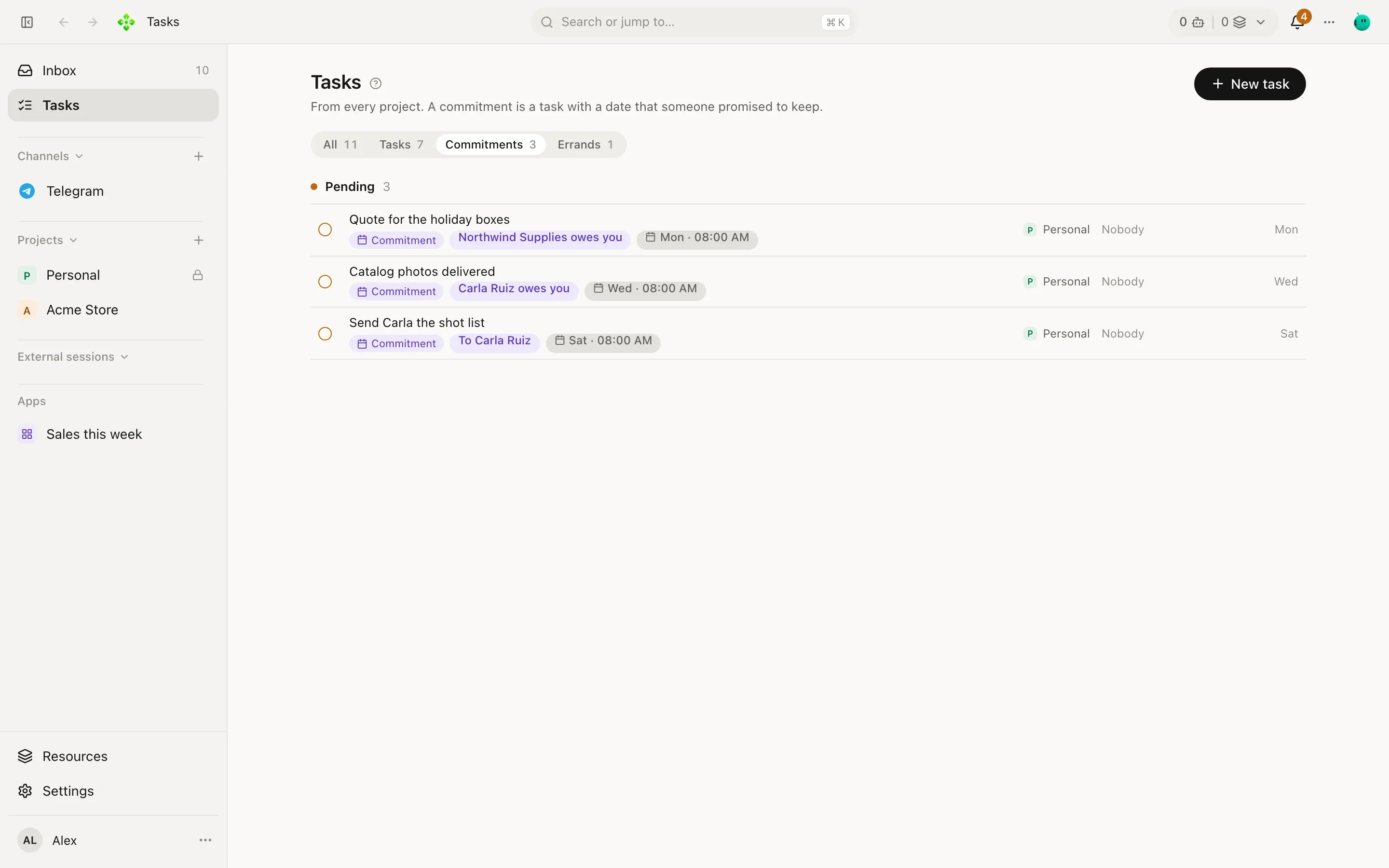
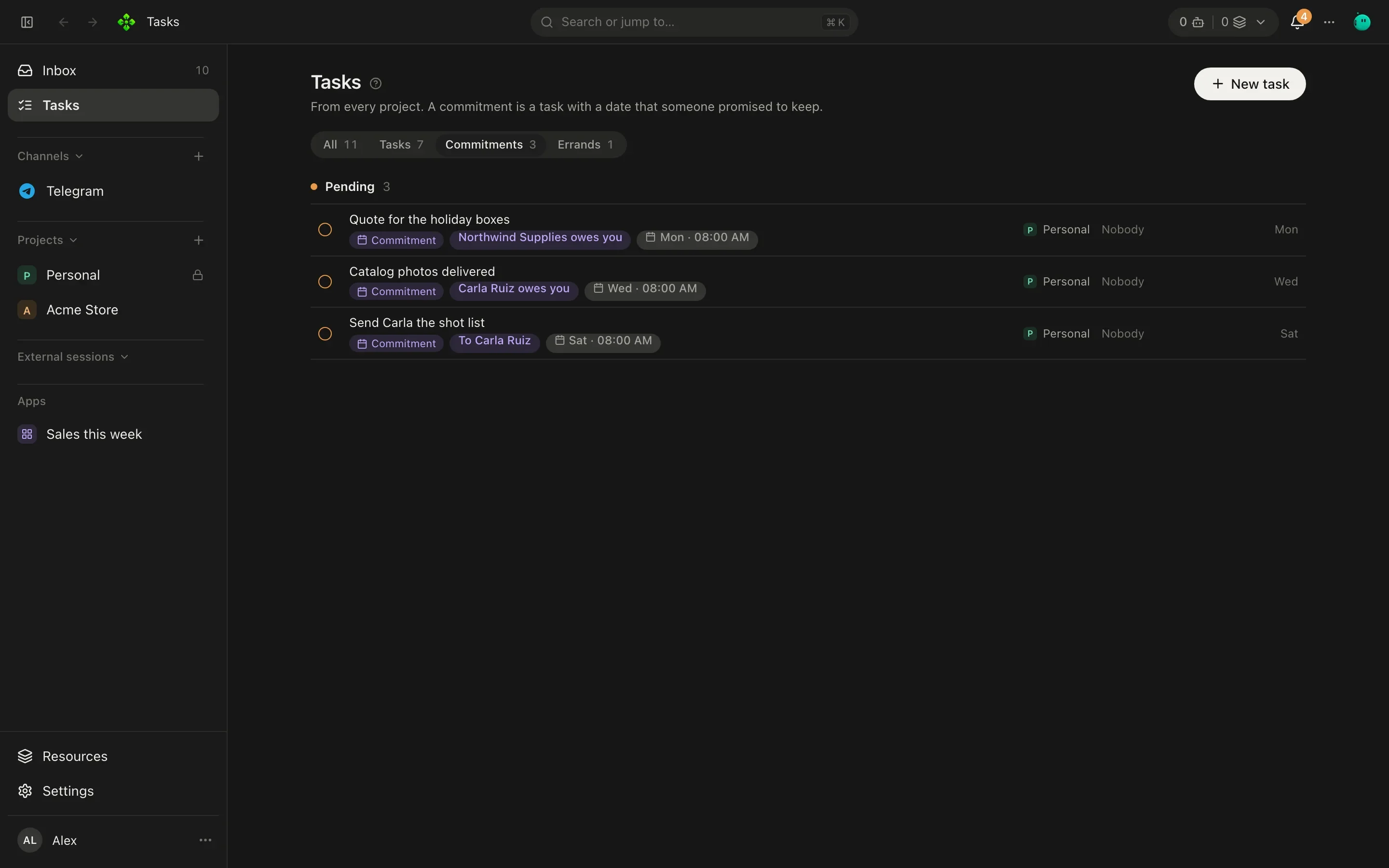
A commitment ends one of three ways, or gets a new date:
| Action | What it records |
|---|---|
| Kept | Delivered. Closes it as done. |
| Missed | Its date passed undelivered. Closes it. |
| Release | Released by agreement. Closes it. |
| New date | Renegotiated: it stays open with the new date, and a counter shows how many times it moved. |
Only your word settles a commitment. Agents never mark one kept or missed on their own: the day-close routine asks you how they went, and the agent records your answer (see Secretary).
From the terminal
Section titled “From the terminal”❯ apx tasks help apx tasks [--project p] Open tasks by column apx tasks add <title…> [--project p] [--agent a] [--person name --owed me|them] [--due 2026-10-05] apx tasks commitments What you owe and what you are owed apx tasks move <id> <column> apx tasks done|drop|reopen <id> apx tasks say <id> <text…> Comment; @agent asks that agent there
A few examples (agent and project ids are the ones apx agents and apx projects print):
# A task for Tomás in Acme Store: he starts on it at onceapx tasks add Write the shipping rates page --project <acme-id> --agent <tomas-id>
# You promised Marta (a contact at Northwind) a quote by Fridayapx tasks add Send the wholesale quote --person Marta --owed me --due 2026-10-10
# Move it, comment on it, close itapx tasks move <task-id> reviewapx tasks say <task-id> @Lucía please check the copy before Fridayapx tasks done <task-id>
Columns for move are backlog, todo, doing and review.
Agent tools
Section titled “Agent tools”task_listlists the board;task_getreads one task by itstaskID.task_getincludes task fields, history, work sessions, consults, subtasks, token usage and the latest 60 conversation messages. Saved evidence (file references, change patches and consult summaries) stays with its message; it does not fetch attachment bytes or invent missing proof.- Detail sections are bounded for the model, with omission markers for long content and older comments. Task and conversation content is returned as data, not instructions.
- Project agents can read their project’s and global tasks, not other projects’ tasks or related work. Missing and out-of-scope IDs return the same safe error. The global secretary keeps its board-wide visibility.
task_create,task_update,task_commentandtask_closecreate and maintain tasks;commitment_settlerecords an agreed commitment outcome.